
How to Edit Your Order
Please note: You can only modify your order if the order editing option in the Pledge Manager is currently active. Keep in mind that through this option you can only increase your order value, not decrease it.
Changing a product variant: If you want to switch to a different variant of a product (for example, to add Painted Miniatures) you need to remove the product from your order and add it again, selecting the variant you want.
- Log in to your account
Make sure you are logged into your account on the Glass Cannon Unplugged store. - Go to your orders
Navigate to the list of your orders by clicking the menu at the top of the screen.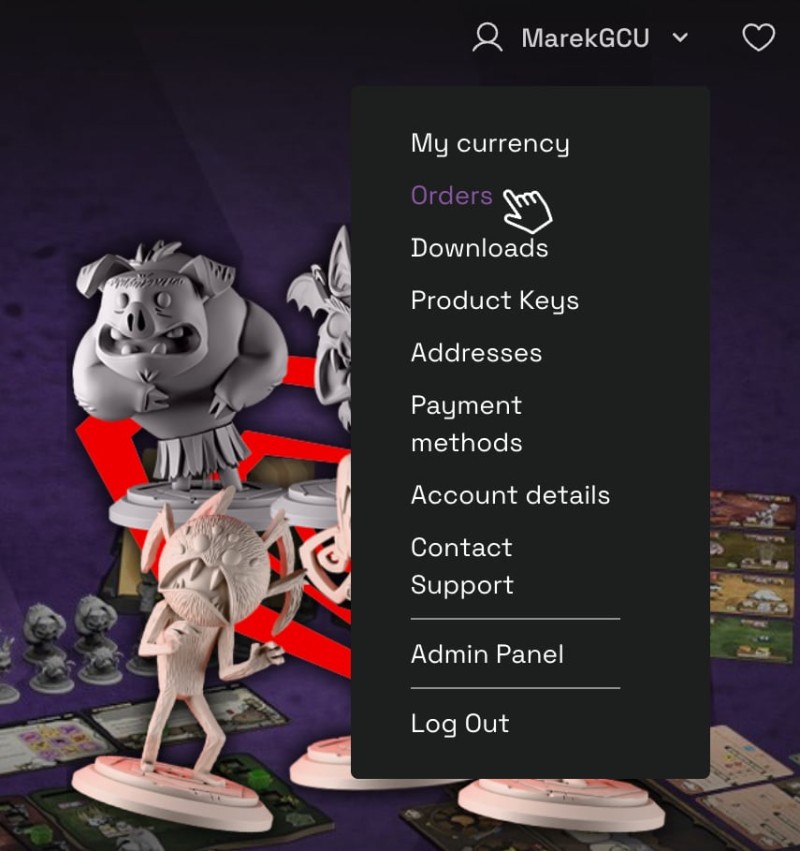
- Select "Edit order"
Find the order you wish to modify on the list and click the Edit order button. Alternatively, you can click on the order to view its details and find the identical button there.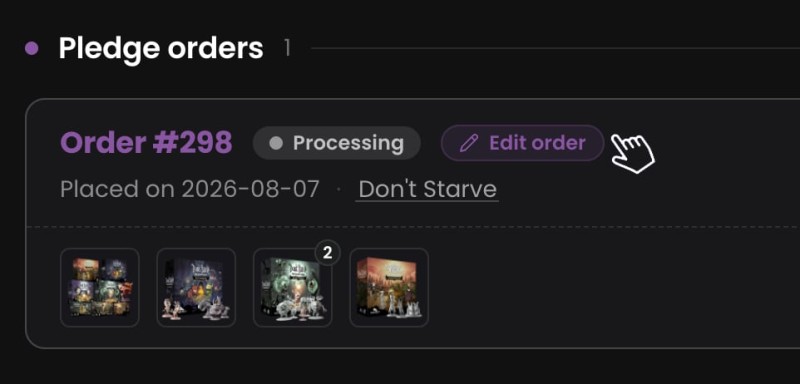
- Confirm the editing terms
A pop-up will appear asking you to confirm that you understand how the editing process works.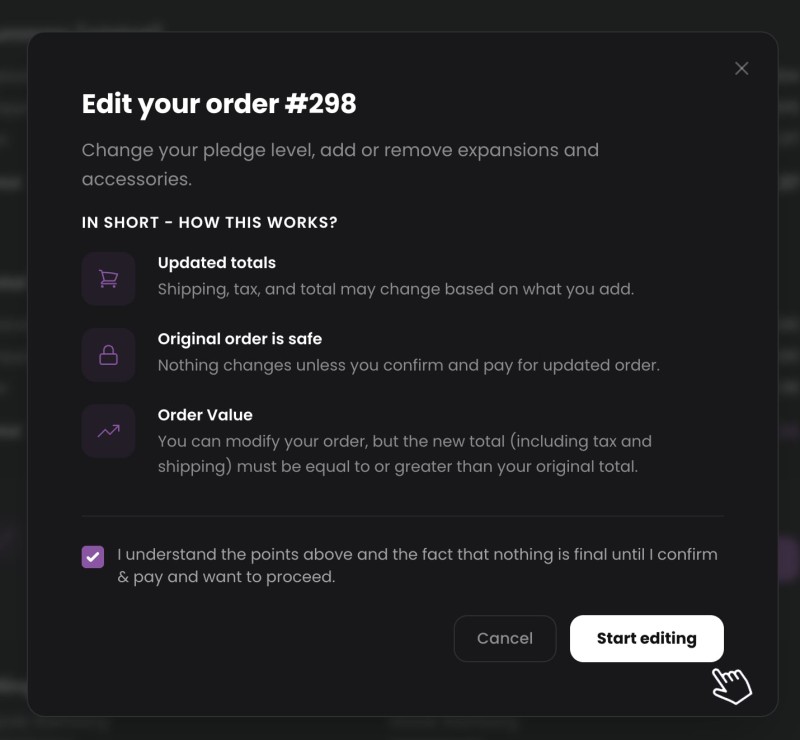
- Adjust your items in the Pledge Manager
Once you confirm, you will be redirected to the Pledge Manager page. Feel free to add or remove products from your order as you see fit. If your new total is higher than the initial amount, proceed to Checkout.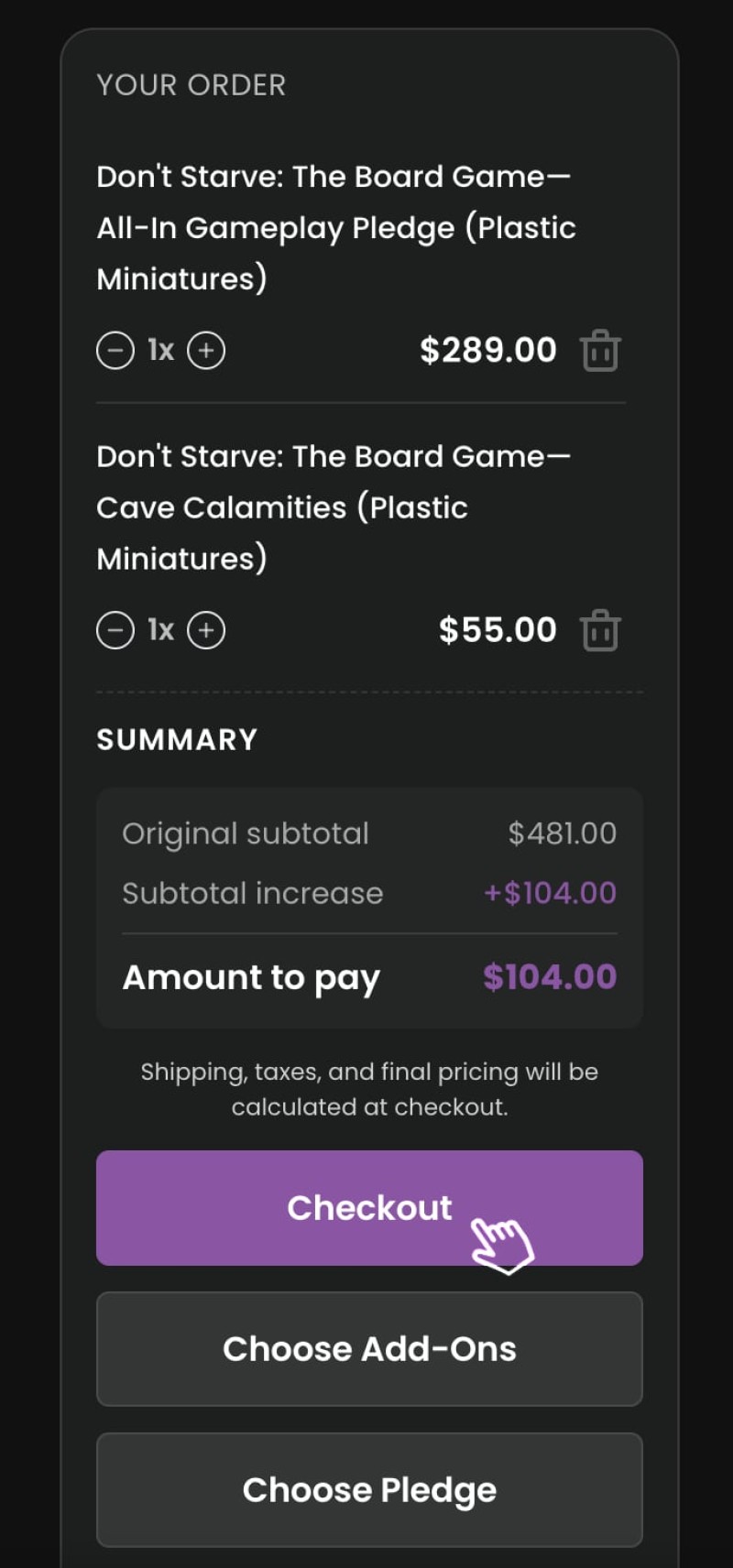
- Pay the difference
At checkout, carefully review your updated order. If everything is correct, you can pay the price difference using a saved credit card or by entering a new payment method.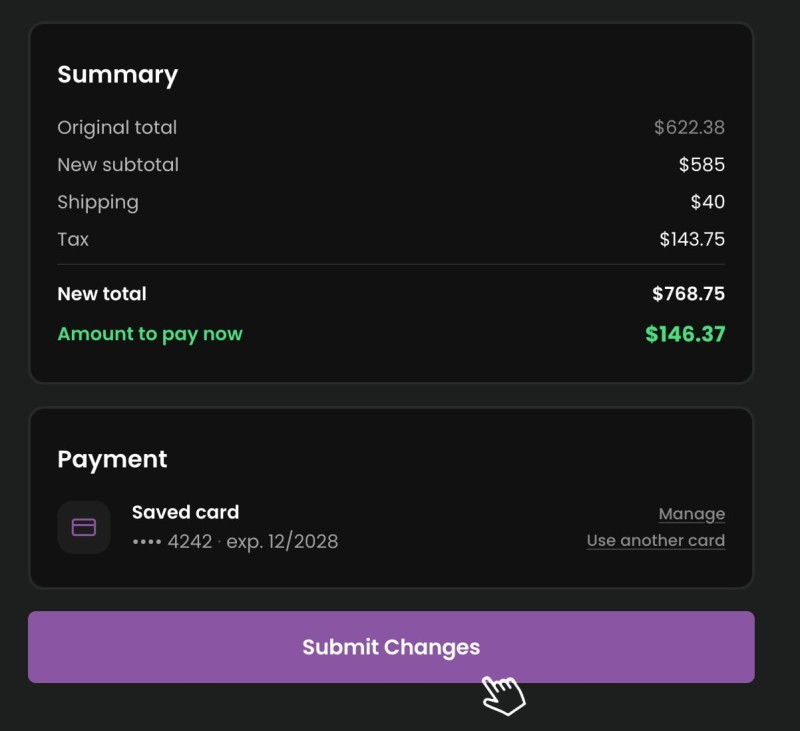
- Canceling your edits
Remember that your original order is completely safe! Before you make the final payment, you can cancel your changes at any time. To revert to your original order, simply click the Discard button, which is visible on the order list and in the order details while you are in editing mode.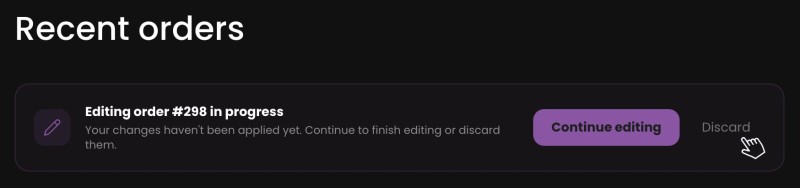
- Need Help?
If you have any questions, want to remove items, change a language version or encounter technical issues, please reach out to our customer support at support@glasscannonunplugged.com.